
Active customer
Update contact or business information
Updated Owner: Servicing
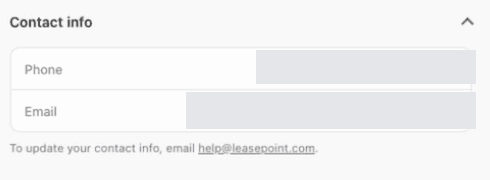
Expand Contact info in My LeasePoint to review the phone number and email address on file. To request an update, email [email protected]. Other business or account changes may require additional verification.
Request a phone or email update
- Open My LeasePoint and confirm the correct account.
- Expand Contact info and review the Phone and Email fields.
- Email [email protected] with your account number and a short description of the requested change.
- Follow any verification or next-step instructions LeasePoint provides.
Changes that may need review
- Legal business name or entity change.
- Ownership or authorized-signer change.
- Account email or mobile number no longer controlled.
- Bank account or payment-instruction change.
- A vendor representative cannot authorize an account change for the customer.
Example screens
These demonstration screens illustrate the workflow. Labels, fields, and availability may vary by program and production release.

Use the secure experience for your actual information
This guide is general. Your application, option, agreement, requirements, payment obligations, and account status may differ. Signed documents and secure account information control.
Need an account-specific answer?
Contact the right LeasePoint team
Choose a route without posting private application, bank, identity, or account information.